
Short answer: Nintendo does not use a monthly amount like PlayStation. Instead, a parent/guardian can block Nintendo eShop purchases on a child’s Nintendo Account completely, or add a fixed amount to the child’s account with a Nintendo eShop card. The child can then only spend the funds in their eShop balance. That makes an eShop card the simplest Nintendo eShop spending limit for kids.
This guide shows both ways from Nintendo Support: how to set Nintendo eShop restrictions in a family group, and how to give your child a budget with eShop cards. It also covers age restrictions, Nintendo Switch Online for children and safety tips. Checked in October 2026.
- Option 1: block all eShop purchases with Spending Restrictions
- Option 2: add a fixed amount with an eShop card – the child spends only that
- Who can set it: a parent/guardian account in a Nintendo family group
- Also covers: the Nintendo Store, including physical orders
- Content: age-based restrictions for the eShop
Table of Contents
Nintendo eShop spending limit: two ways to control it
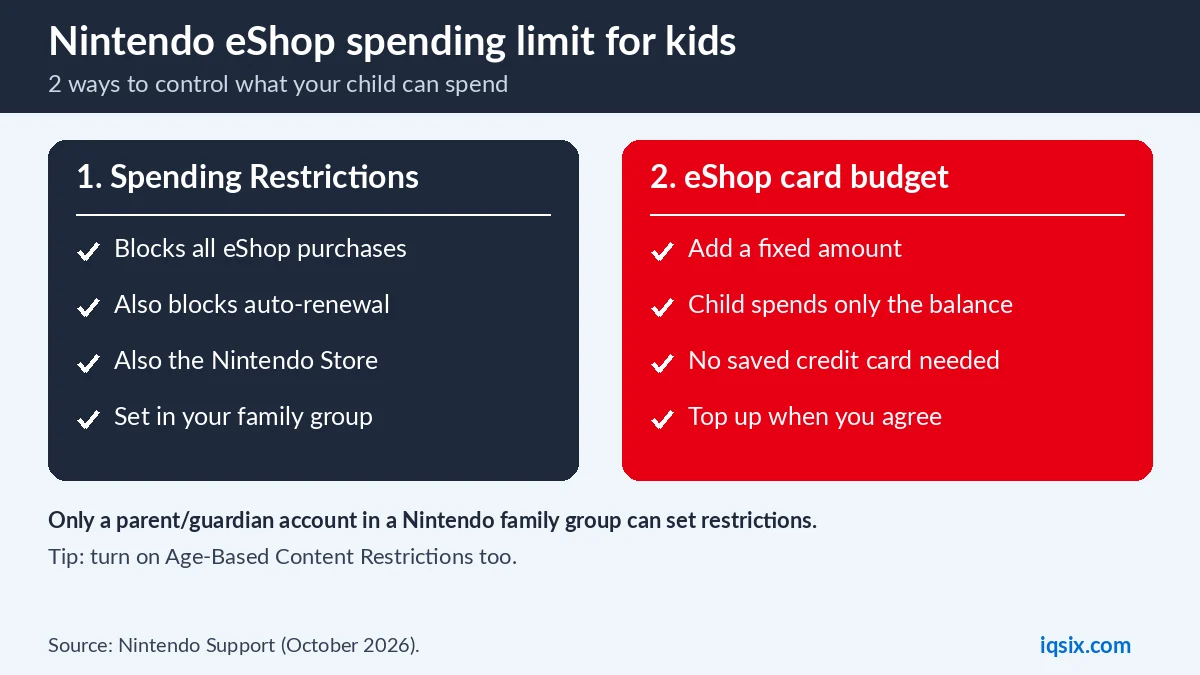
Nintendo says there are a couple of ways to manage your child’s Nintendo eShop budget (Nintendo Support):
- Restrict purchases: the parent/guardian account turns on Spending Restrictions on the child’s Nintendo Account. This disables purchases and auto-renewal on Nintendo Switch 2, Nintendo Switch and the Nintendo Store, including physical orders.
- Prepaid budget: use a Nintendo eShop card (or a credit card) to add a specific amount to the child’s Nintendo Account. The child can then only use the funds in their eShop balance.
Example: a 9-year-old has Spending Restrictions on, so nothing can be bought by accident. A 14-year-old has restrictions off but no saved credit card; the parent adds a $10 or $20 eShop card each month, and the teen chooses what to buy with it. Both children have Age-Based Content Restrictions turned on, so the eShop only shows suitable games.
Many families combine both: purchases are blocked most of the time, and for birthdays or good school results the parent adds a card and lets the child choose a game.
How to set Nintendo eShop restrictions
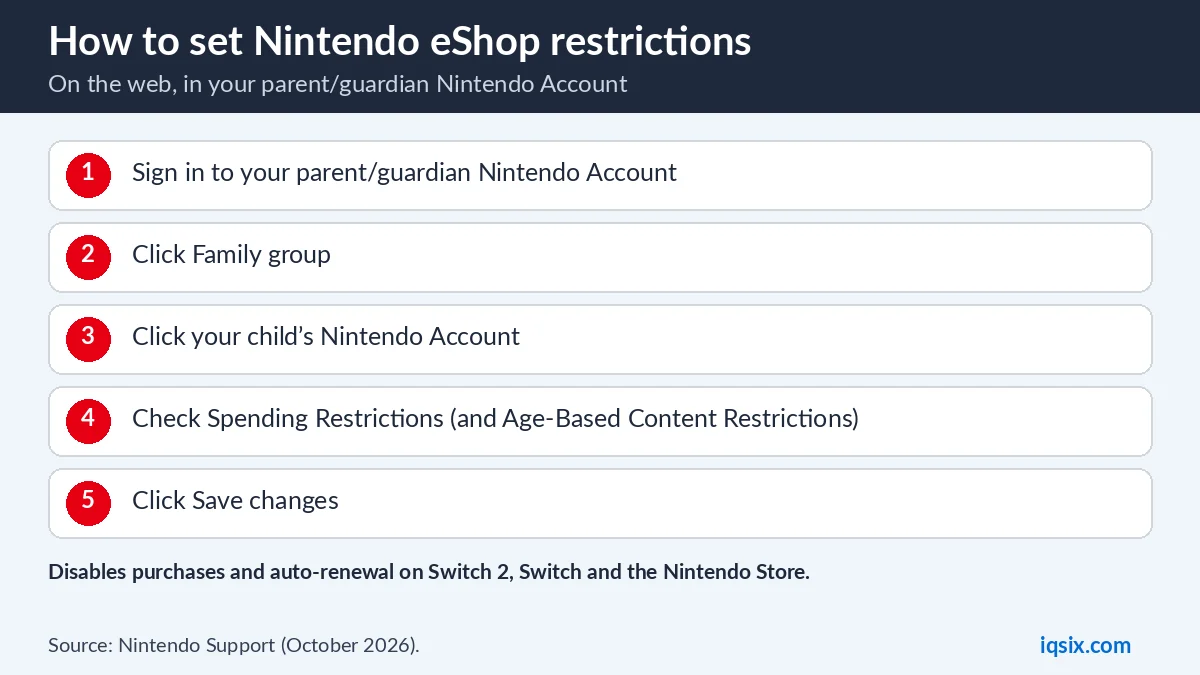
Only a parent/guardian Nintendo Account in a Nintendo family group can set these restrictions. Nintendo’s steps:
- Sign in to your parent/guardian Nintendo Account settings on the web.
- Click Family group to see the supervised accounts in your family.
- Click your child’s Nintendo Account.
- Under Spending Restrictions, check the box to disable purchases and auto-renewal.
- Under Age-Based Content Restrictions, check Restrict if you want the eShop to show only content suitable for your child’s age.
- Click Save changes.
A supervised account can use Nintendo Account services, but it cannot change the family group and may be subject to these eShop restrictions. Parents/guardians or the group admin choose which accounts are supervised.
An eShop card budget as your Nintendo eShop spending limit
A Nintendo eShop card is a prepaid card with a code, usually under a scratch-off strip on the back (or sent by email when you buy it online). When you redeem it on your child’s Nintendo Account, the money is added to their eShop balance, and your child can only spend what is there. Our guide on how to redeem a Nintendo eShop card shows the steps.
According to the US Nintendo eShop Card terms, the card is not reloadable and has no expiration date, and once redeemed the balance can only be used on that one account. In the US, the eShop balance cannot go above $800 (Nintendo).
Example budgets
- $10: a small indie game or some add-on content.
- $20: a cheaper game, or 12 months of Nintendo Switch Online Individual ($19.99 in the US, before tax).
- $50 or more: a bigger game for a special occasion – use several $10 cards.
When the balance is used up and no credit card is saved on the child’s account, nothing more can be bought until you add another card.
Age-based content restrictions
The second setting in the same screen, Age-Based Content Restrictions, controls what your child can see in the Nintendo eShop on Nintendo Switch 2 and Nintendo Switch. When you check Restrict, Nintendo automatically limits content based on the player’s age. It is a good companion to the spending setting: your child cannot buy anything you did not plan, and does not see games that are not meant for their age.
Why not save a credit card on your child’s account?
Nintendo lets you add money to a child’s account with a credit card or an eShop card. A saved credit card is convenient, but it removes the natural limit: as long as purchases are allowed, the card can be charged again. An eShop card adds a fixed amount once. When it is spent, it is spent, and there are no surprise charges or forgotten renewals on your bank statement.
Giving an eShop card as a present
Grandparents, aunts and uncles often ask what to give. A Nintendo eShop card is a safe answer: the parent redeems it on the child’s account, and the child chooses a game within that amount. Make sure the card’s region matches the child’s Nintendo Account country, and send the code to the parent rather than directly to the child.
Teaching kids to budget
A fixed eShop balance is a simple first lesson in money. Agree on an amount for the month or for a birthday, let your child compare prices and reviews, and let them decide. If they spend it all on the first day, they wait until the next top-up. Many parents find this works better than saying no to every request.
Nintendo Switch Online for children
Children often need Nintendo Switch Online to play online. A few rules from Nintendo matter for families: automatic renewal is not available for Nintendo Accounts under 18, and to buy a Family membership you must be 18 or older and save a credit card or PayPal for renewal. A Family membership covers up to 8 Nintendo Accounts. Our guide on Nintendo Switch Online with an eShop card explains how many cards each plan needs.
Spending Restrictions or an eShop card budget?
| Spending Restrictions | eShop card budget | |
|---|---|---|
| Child can buy | Nothing | Up to the balance |
| Auto-renewal | Disabled | Only if set up |
| Set up by | Parent/guardian | Parent adds the card |
| Best for | Younger children | Older children |
For younger children, blocking purchases and buying games together is the safest. For older children, a fixed eShop balance teaches budgeting: they decide what to buy, but cannot spend more than you gave them.
Same idea on PlayStation and Xbox
If your family also has a PlayStation, it works differently: you set a monthly spending limit and purchases come from the family manager’s wallet. See how to set a PS5 spending limit. On Xbox, Game Pass can be shared on one console with home Xbox sharing.
Safety tips for kids and gift card codes
- Keep codes with the parent until you redeem them on the right account.
- Explain that codes work like cash: never share them in chats or with “free game” offers.
- Check the region: a US card only works on a US Nintendo Account. See how to check your account region.
- Learn the basics together: what is a gift card code has six simple rules.
Quick checklist for parents
- Create a Nintendo family group and set your child’s account as supervised.
- Turn on Spending Restrictions if your child should not buy anything alone.
- Turn on Age-Based Content Restrictions.
- For a budget, redeem an eShop card on your child’s account instead of saving a credit card.
- Check the balance from time to time and top up when you agree.
Buy a Nintendo eShop card from IQSIX

IQSIX sells a $10 Nintendo eShop card for US Nintendo Accounts – an easy way to give your child a fixed budget. Buy several for a bigger amount.
- Delivery: after your payment is confirmed, we send the 16-character code by email.
- Payment: crypto, card, or a Remitly bank or mobile money transfer at checkout.
- Region: it is a US card, so the Nintendo Account country must be the United States.
- Help: not sure how many cards fit your budget? Ask us on WhatsApp.
Nintendo eShop spending limit FAQ
Can I set a Nintendo eShop spending limit for my child?
Nintendo has no monthly amount. You can block all purchases with Spending Restrictions, or add a fixed amount with an eShop card so your child can only spend their balance.
How do I block eShop purchases on my child’s account?
Sign in to your parent/guardian Nintendo Account, open Family group, choose your child, check Spending Restrictions and click Save changes.
Does Spending Restrictions also block the Nintendo Store?
Yes. Nintendo says it disables purchases and auto-renewal on Nintendo Switch 2, Nintendo Switch and the Nintendo Store, including physical orders.
Who can set Nintendo eShop restrictions?
Only a parent/guardian Nintendo Account in a Nintendo family group.
Do Nintendo eShop cards expire?
According to the US Nintendo eShop Card terms, the card has no expiration date and is not reloadable.
Can my child have Nintendo Switch Online auto-renewal?
No. Nintendo says automatic renewal is not available for Nintendo Accounts under 18. A parent can buy or renew the membership instead.
Sources, checked 22 October 2026: Nintendo Support: eShop spending limit for my child, US Nintendo eShop Card terms, Nintendo: add funds in the US, Nintendo Switch Online purchase rules and Family membership rule.